Platform · Observability
Every exchange on record. Every question answerable.
Bitween keeps what arrived, what was produced, what came back and what happened next, searchable by the keys your business uses, with live queue, schedule and data source health beside it.
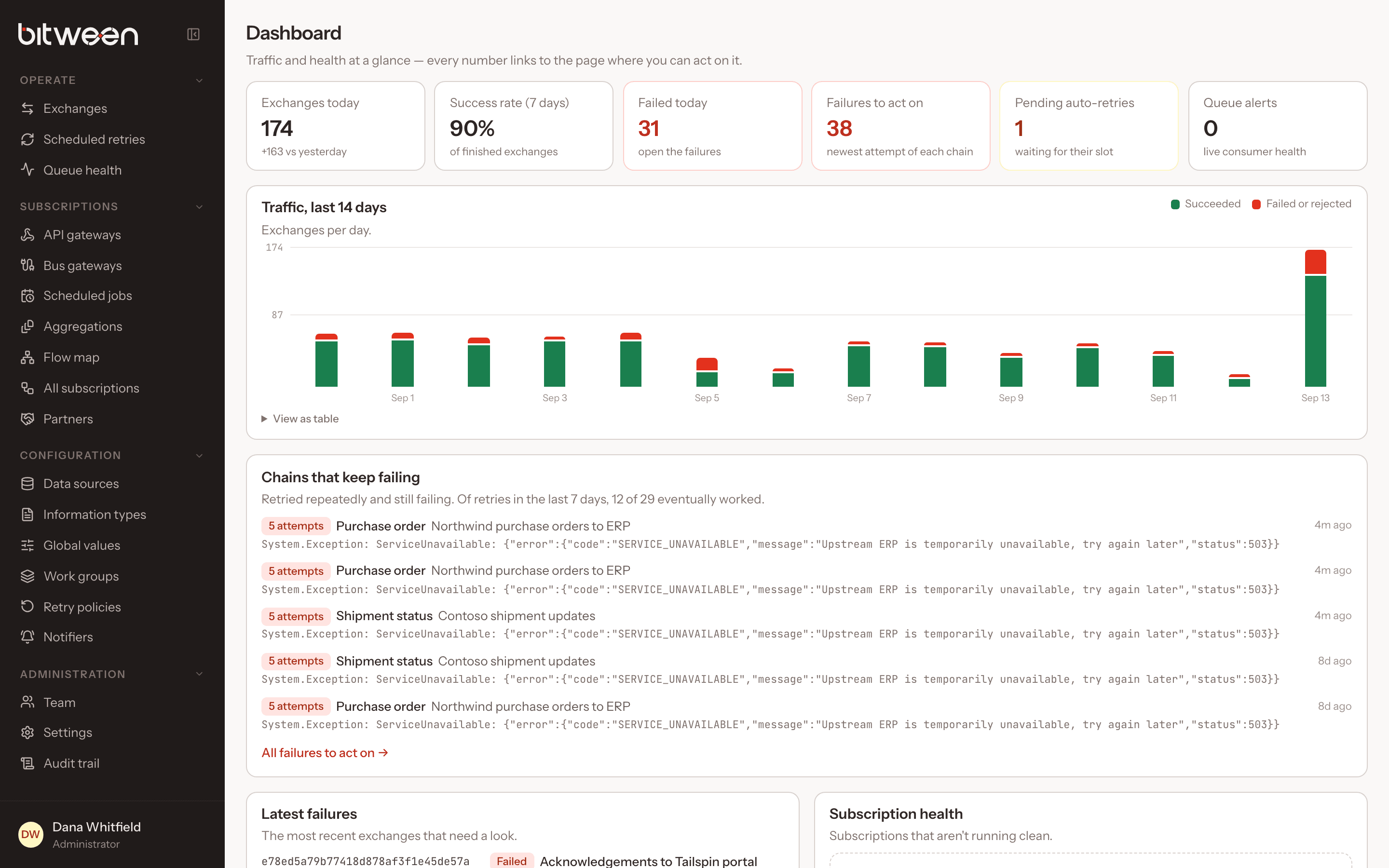
Business-key search
Promoted properties like order numbers and tracking ids are extracted from every exchange and searchable.
Correlation across flows
Exchanges created from responses share a correlation id, so one search shows a whole flow.
Files for every stage
Input, output and response for each exchange, formatted or raw, with the exception beside them.
Queue health
Live RabbitMQ lanes, backlogs, dead letters, alerts and queues nobody reads, refreshed every five seconds.
Schedule health
Normal, not scheduled, paused, blocked, stuck, straight from the scheduler’s own triggers.
Shareable views
Filters, tabs and open dialogs live in the URL, so any view can be sent as a link.
Exchanges
The answer to “what happened to it?”
Filter by status, subscription, partner, information type, ids, correlation id, promoted property and date range, with live refresh.
- Expand a row for stage files and the exception
- Follow retry chains and aggregation families
- Create an exchange by hand to test a pipeline
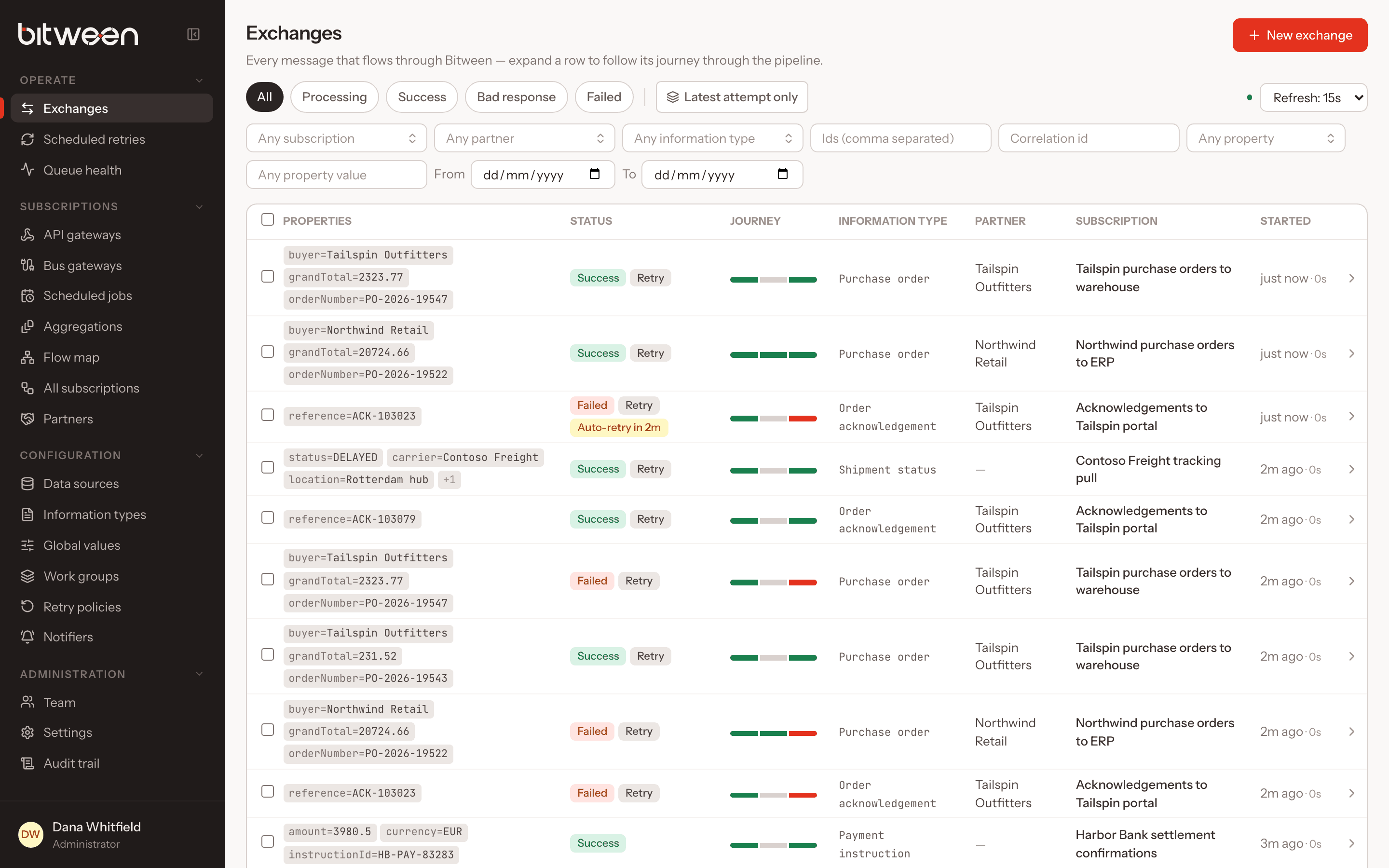
Queue health
See backpressure before users feel it.
Every consumer lane with its nodes, in-flight, queued, retrying and dead messages, prefetch, rates and health, grouped as front doors, work, notifications and control.
- Transport retries and dead letters
- Alerts from the bus library
- Orphaned queues left by renamed lanes
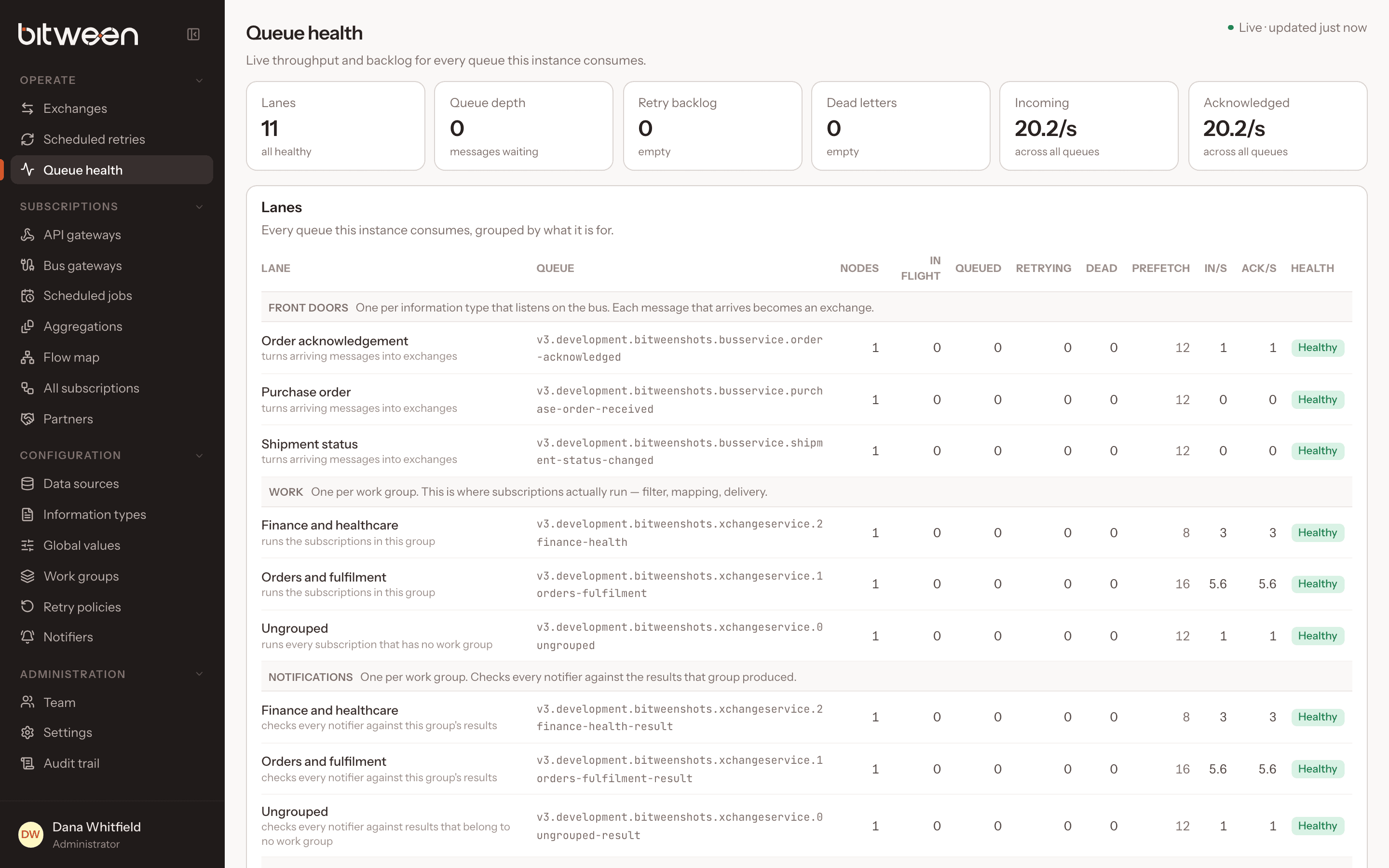
Operational clarity
Every state tells you what to do next.
Status in Bitween is designed to be actionable. These are straight from the operations guide.
| What you see | What it means | What to do |
|---|---|---|
| Processing for a long time | No result yet | Check Queue health for a backlog on the work group |
| Failed, with “Auto-retry in …” | A retry is scheduled | Wait, or use Run now |
| Failed, with a blocked reason | The retry policy declined | Fix the cause, then retry by hand or reset the budget |
| Bad response | The handler flagged its response, such as HTTP 4xx | Open the response file |
| No exchange for a bus message | Nothing matched | Check routes and match expressions on the Flow map |
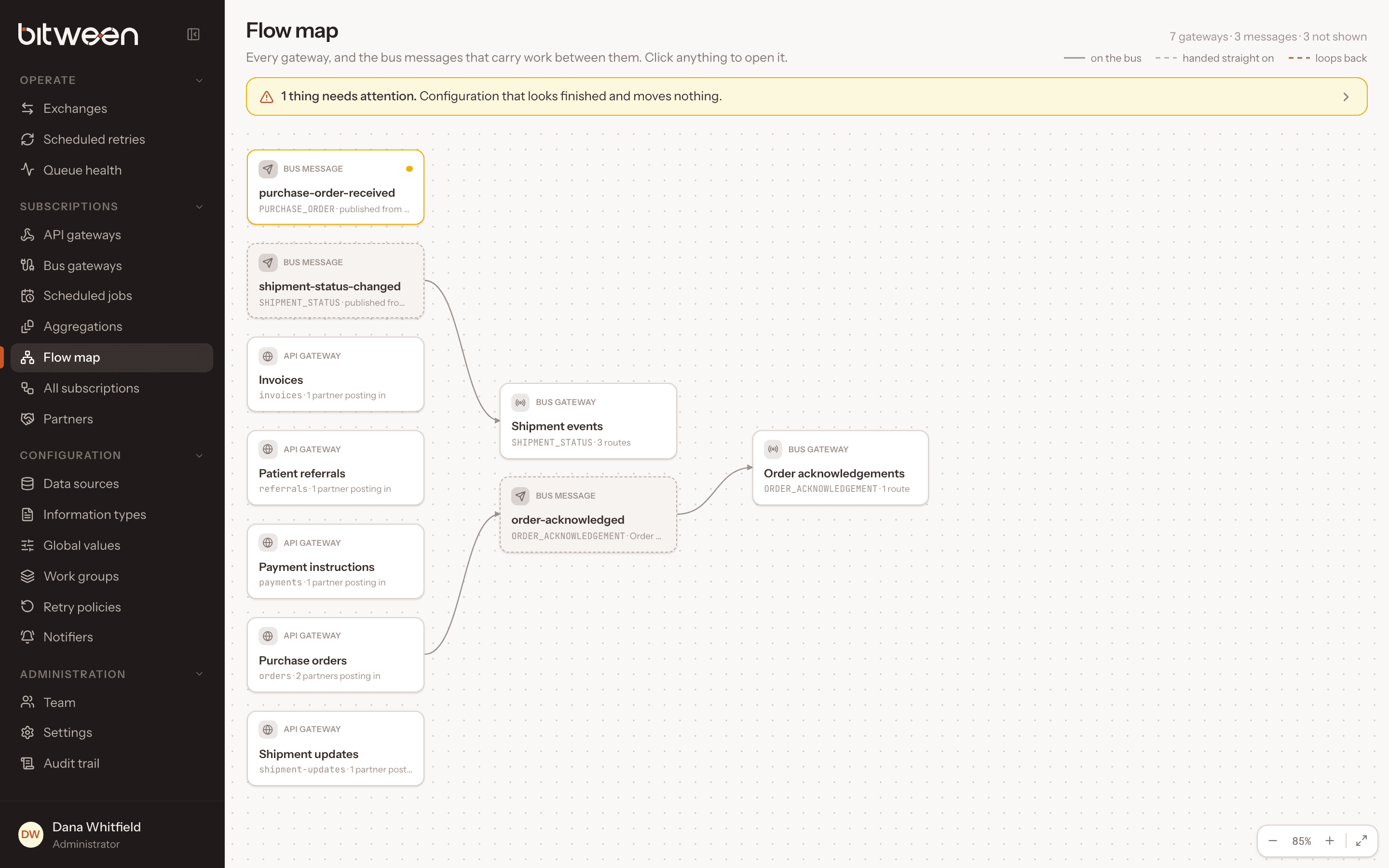
Flow map
A living map of your integration estate.
Gateways, bus message types and subscriptions drawn as one graph, with warnings for loops, gateways without partners or routes, and messages nobody listens to.
- Read-only and always current
- Loops flagged before they cost you
- Documentation that never goes stale
Documentation
Written from the source code.
Every claim on this page links to documentation that is synced from the Bitween repository.
Explore the platform
More capabilities.
Put every integration on one governed pipeline.
Talk to the architects who build Bitween about your partners, systems and message volumes, or start from the docs and run it yourself today.